
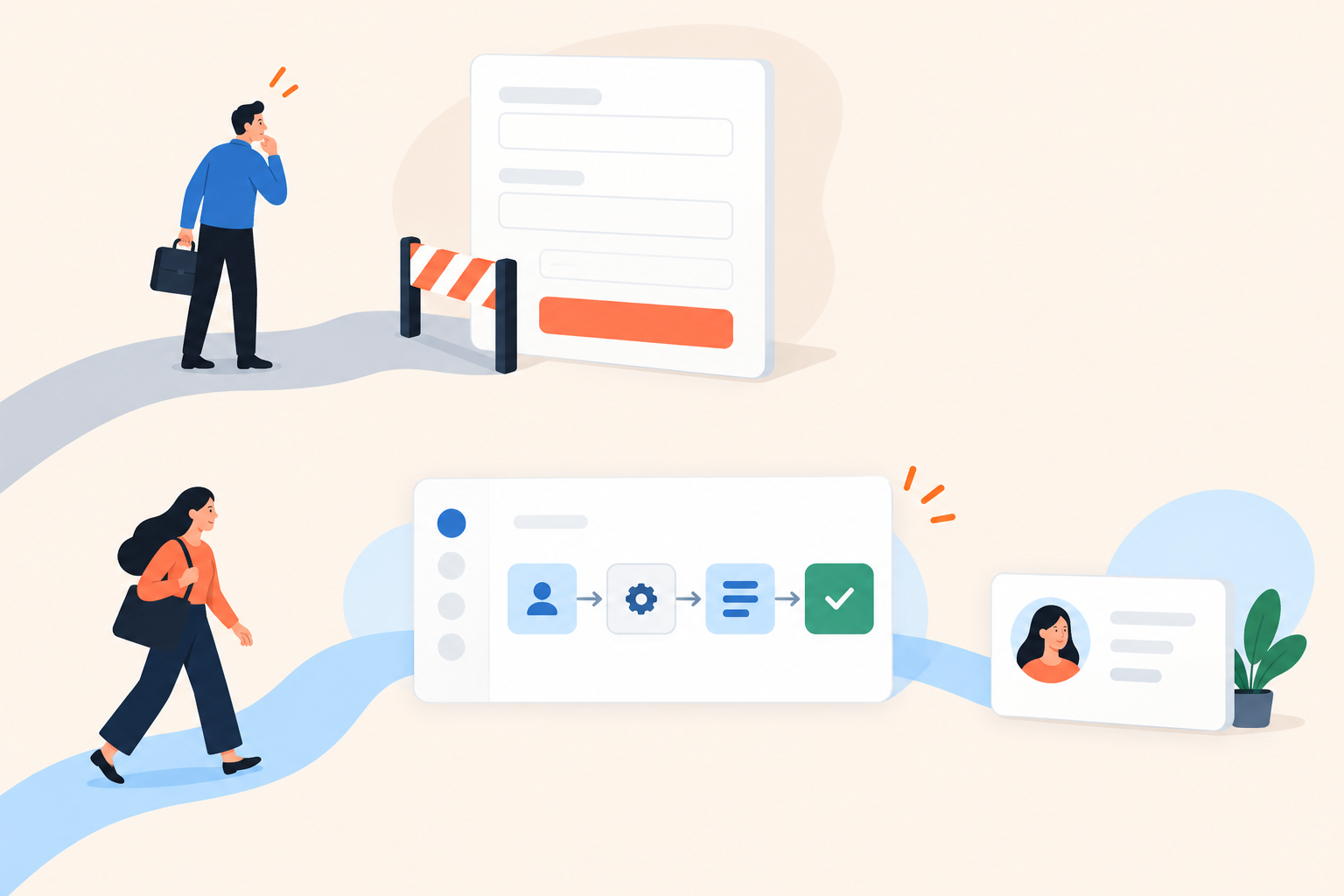
A revenue operations manager clicks “See lead routing in action.” Instead of a routing workflow, she gets a form asking for her name, work email, company, and phone number. Your team counts this as a conversion opportunity. She sees another vendor asking for a conversation before answering her question.
For discovery-stage website traffic, start with an ungated demo that shows a useful workflow, then ask for email once the buyer has seen a reason to continue. Use an upfront form when the requested next step genuinely needs identifying information. Judge the decision by qualified conversations per visitor, not the size of your contact list.
I prefer earning the email. Dale, the demo automation platform, lets teams place detail prompts before a demo, during it, or at the end. That gives you a timing choice, but it doesn't give the buyer a reason to respond. The content and the offer still have to do that work.
What is the difference between gated and ungated demos?
A gated demo requires details before someone can access the experience. An ungated demo lets them begin without submitting details, although you can still ask for contact information later.
The useful distinction: An upfront gate makes identification the price of entry. A delayed gate moves that requirement later. An optional prompt offers a next step without making identification a condition of continuing.
Moving a mandatory form doesn't remove the friction. It postpones it. Making the request optional changes the bargain entirely.
Also separate product access from meeting access. A buyer may reasonably expect to watch a public workflow without identifying themselves, while understanding that a tailored technical evaluation needs some context.
| Approach | Where I'd start | What to watch |
|---|---|---|
| Upfront form | Requests for a tailored evaluation | Whether each field helps prepare that evaluation |
| Mid-demo prompt | A demo with an early, complete workflow | Whether the request interrupts the proof |
| End-of-demo prompt | Public product discovery | Whether the next step is worth responding to |
| No identification request | A public product tour or known-contact follow-up | Anonymous engagement versus identifiable activity |
When should a website demo be ungated?
Start ungated when the visitor is trying to establish whether your product solves their problem. Product pages and early-stage campaign landing pages are usually places to provide evidence, not conduct an intake interview.
Take that revenue operations manager. She wants to know what happens when an inbound lead matches overlapping territory rules. Show the conflicting rules, the assignment decision, and how someone checks the result. A tour of the settings menu won't answer her question, even if access is free.
The public demo doesn't need to prove everything. It needs to resolve one uncertainty well enough that the buyer can decide whether to investigate further.
For a discovery demo, I'd insist on:
- A narrow promise: “See how territory exceptions are handled,” rather than “Explore our platform.”
- A visible result: Show where the lead lands and why, not just the configuration.
- Safe demonstration data: Use prepared records, not customer information.
- A relevant continuation: Offer another workflow, an evaluation resource, or a conversation about the problem just shown.
Ungated doesn't have to mean generic. Someone can choose a role or topic without sharing an email address. For a focused self-serve product tour, that choice may be more useful to the viewer than a personalized greeting.
Don't mistake removing the form for fixing the demo. If visitors still leave before seeing an outcome, inspect the promise, the opening screen, and the content. Access was only one possible obstacle.
When is an upfront demo form justified?
An upfront form is justified when the experience depends on information you don't have. It's much harder to defend when the same public recording sits behind the form for every visitor.
A tailored evaluation of territory routing might require deployment context and the systems involved. Those answers change what the pre-sales team prepares. A general routing walkthrough doesn't need that preparation.
Match the button to the exchange. “Request a tailored evaluation” sets an honest expectation. “Watch the product in action” should not quietly turn into “Wait for an SDR to contact you.”
Confidential content is a separate issue. If technical material needs restricted access, treat that as an authorization problem. Collecting an email address does not, by itself, establish that someone should see it.
How many fields should a demo form have?
Ask for the information that changes the immediate next action. If you're sending a checklist, a required phone number needs a better explanation than “sales likes having it.”
For each field, finish this sentence: “When we receive this answer, we will...” If the answer is merely “store it in the CRM,” consider removing it. Qualification questions can wait until you're offering something that depends on the answers.
Where should you ask for email during a demo?
Ask after a complete proof of value, not in the middle of the explanation. The buyer should understand what happened and why it matters before the contact request appears.
In the routing example, that means showing the exception resolved. Interrupting while the viewer is still reading the rule conditions leaves the important question unanswered.
In Dale, Pages organize content around topics or pain points, while Walkthroughs provide screenshot-based click-through tours. Detail prompts can appear before the demo, mid-demo after a selected time, or at the end. A timed prompt is not a trigger that recognizes a completed workflow, so preview exactly what is on screen when it appears.
This gets more interesting with a Linear Demo that follows buyer priorities. Viewers rate topics Important / Somewhat Important / Not Important, and the demo assembles around those selections. Different choices can put different content in front of the same timed prompt.
- Choose the question to answer first. What uncertainty brought this visitor here?
- Show the whole answer. Include the problem, product action, and result.
- Match the request to that answer. Offer a resource or conversation that advances the evaluation.
- Preview several paths. Check different topic selections and devices before publishing.
If you can't find a reliable mid-demo stopping point, an end prompt may be the cleaner choice. Don't interrupt a useful explanation just because a timer lets you.
What should the email prompt say?
State the benefit and what submitting details will cause. “Enter your details” describes the work; it doesn't explain the exchange.
For example, if the resource and delivery process exist: “Want the territory-rule checklist? Enter your email and we'll send it.” For a conversation: “Want to check this against your routing rules? Share your work email and we'll arrange a discussion.”
Don't dress a callback up as a download. Don't promise saved progress unless that functionality exists. Explain how details will be used, provide appropriate privacy information, and apply your consent requirements. A request for one resource isn't blanket permission for unrelated follow-up.
How do you test gated vs ungated demos?
Compare qualified conversations per eligible page visitor across equivalent traffic groups. Form completion is a useful diagnostic, but it's a poor definition of success on its own.
Otherwise, the test can reward a version that collects more addresses while helping fewer suitable buyers reach a conversation.
Use your website experimentation tooling to allocate comparable traffic. Keep the demo content, entry CTA, and follow-up process consistent. Changing the form, headline, and workflow together may improve results, but it won't tell you which change mattered.
Before launch, agree with sales on what counts as qualified. An illustrative definition: a company that fits your target market, a relevant routing problem, and an agreed evaluation step. “They gave us a work email” isn't enough.
Track the journey in layers:
- Eligible visitors: People who had the opportunity to use the demo.
- Demo starts: People who actually began the experience.
- Meaningful engagement: Viewers who reached the workflow outcome or explored relevant topics.
- Identified viewers: People who submitted details or arrived through known-contact links.
- Qualified conversations and opportunities: What progressed beyond the demo.
Combine demo engagement analytics with website and CRM reporting. Don't assume every stage appears in one report, or that every anonymous viewer can be matched to a later opportunity.
Review acquisition source, device, and new versus returning visitors. An outbound recipient who recognizes the rep isn't starting from the same place as an unfamiliar search visitor.
Give the test time to cover your normal path to a qualified conversation. With low opportunity volume, report the uncertainty. A handful of form submissions is not a reliable verdict on pipeline.
Should known prospects fill out the form again?
Usually not. If you already know the recipient, another identification request often creates work without providing new information.
Dale supports unique individual invite links that identify the invited contact without another form. Bulk generate creates unique links from a prospect sheet for use in external email or marketing tools. Custom link generation also lets a rep select the demo, branch, and topics, sending someone straight to the relevant content.
That distinction matters after a call. If a buyer asks how territory exceptions work, send that workflow through a personalized demo link, not the homepage tour with the introductory questionnaire attached.
Identity still isn't buying intent. A known contact opening a link gives you context, not proof of purchase readiness. Topic choices, replays, and subsequent actions help explain what they are evaluating.
Forwarding adds another wrinkle. A shared link may involve colleagues, so avoid attributing every interaction to the original recipient. Use the engagement as preparation for a better question, not as permission to make confident claims about someone's plans.
What should you check before changing your demo form?
Check the promise, the content before the request, and the follow-up that happens afterward. A shorter form won't rescue an unclear demonstration.
- Promise: Does the CTA accurately describe access or a request?
- Proof: Has the buyer seen a meaningful result?
- Fields: Does each required answer change the next action?
- Experience: Have you tested different paths and checked the prompt on a phone?
- Follow-up: Will the buyer receive what was promised?
- Measurement: Can you compare qualified conversations per visitor?
Use the Dale interactive demo to inspect the viewer experience, and check pricing and feature availability against the workflow you need.
Then choose one product page. Record its current funnel, identify the first complete proof of value, and test asking for details after it rather than before it.