
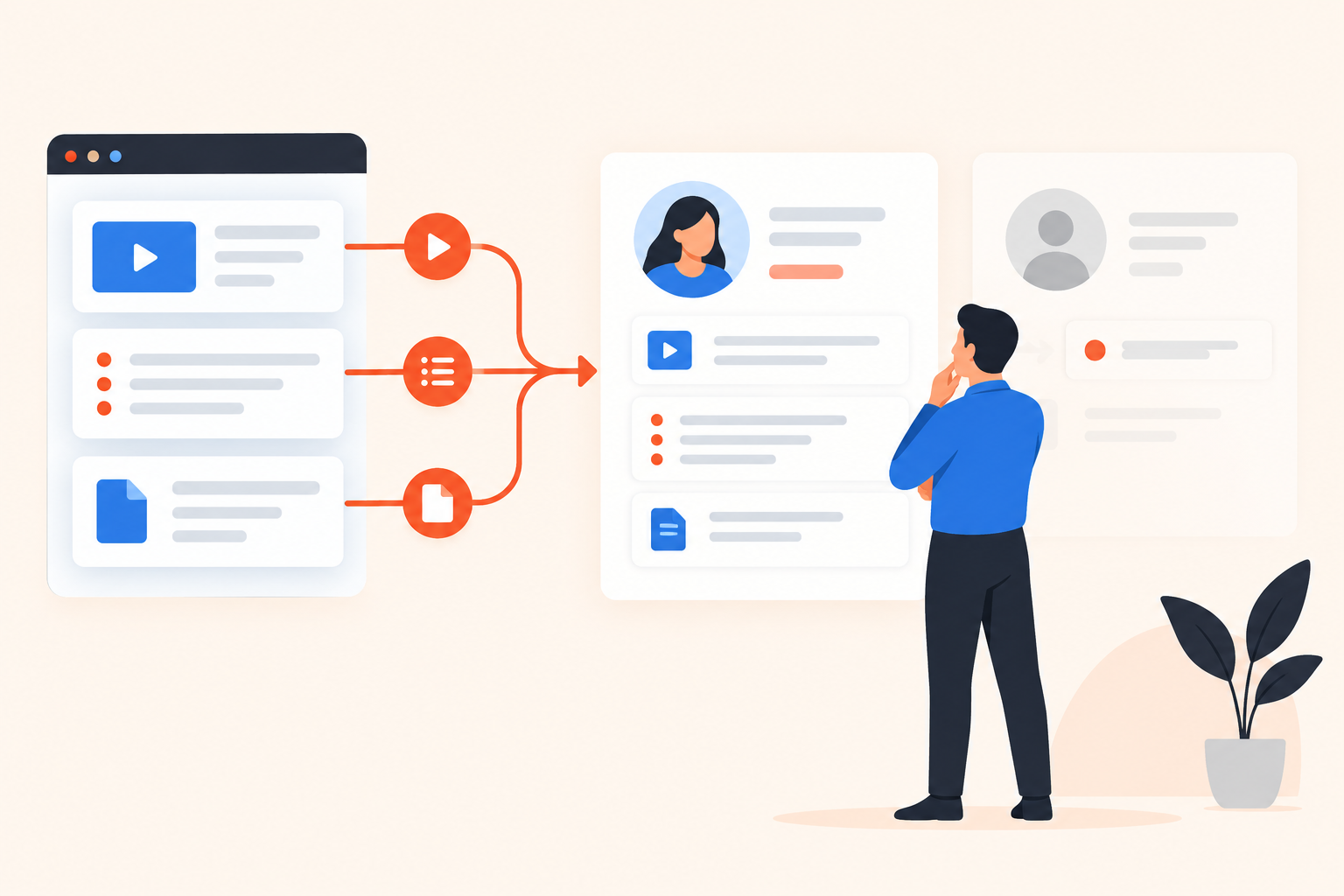
A prospect finishes your product tour, replays the permissions explanation, and opens a security document. Your rep checks HubSpot: an email address and “demo viewed.” The buyer left useful clues. The handoff lost them.
When evaluating interactive demo software for HubSpot, choose based on whether identifiable demo behavior reaches the right contact and helps your team take a relevant next action. Test contact matching, activity detail, and follow-up in your own sales process before treating a native integration badge as proof.
I’d accept a less polished editor before I’d accept a handoff that makes reps start discovery from scratch. But you don’t have to choose blindly. Give each vendor the same small test, then inspect what actually arrives.
What should a HubSpot demo integration deliver?
It should tell the person following up who watched, what mattered, and when it happened. Creating a contact is useful plumbing, but it isn’t the outcome you’re buying.
A useful demo-to-CRM handoff connects an identified viewer with relevant behavior and makes that evidence accessible to the person responsible for the next conversation.
Start with one sales motion, not a feature inventory. A website visitor exploring anonymously poses a different problem from an existing opportunity opening an account executive’s follow-up link. The first needs an identification strategy. The second needs activity attached to the contact your team already knows.
For an illustrative test, use a finance operations buyer evaluating approval controls. They care about permissions, don’t care about expense reporting, and want to share the security material with IT. Write down what the rep should know before calling them.
That becomes your acceptance criteria. If the vendor’s demonstration ends at “contact created,” ask to keep going. Open the record as a rep would, without an administrator explaining where everything lives.
Is a native HubSpot integration better than Zapier or webhooks?
A native integration can reduce connection work, but it doesn’t guarantee useful data or the exact automation you need. Zapier or webhooks may suit custom requirements when someone on your team can maintain the connection.
“Native” tells you how the connection is packaged. It doesn’t tell you which activities transfer, how they appear, or whether you can use them in your intended HubSpot workflow.
| Connection | Why consider it? | What to verify |
|---|---|---|
| Native HubSpot integration | A vendor-maintained connection | Supported data, permissions, sync direction, and failure visibility |
| Zapier | Configurable workflows using supported triggers and actions | Event coverage, task costs, retries, and ownership |
| Webhooks or API | Control over custom integration logic | Engineering effort, authentication, monitoring, and maintenance |
Ask the vendor to show the connection they’re quoting. If their demonstration quietly depends on middleware, include that middleware in your budget and operating plan.
Then ask a less glamorous question: “How will we know when this stops working?” A successful test event proves the connection can work. It doesn’t establish who notices missing activity next month.
How do you test viewer identification and contact matching?
Test known contacts, anonymous visitors, and forwarded links separately. They expose different attribution problems, and a perfectly populated vendor test record tells you very little about them.
Use dummy contacts in a controlled test environment where possible. Keep HubSpot open beside the demo platform so you can compare the viewer’s actions with the resulting record.
- Start with an existing contact. Send a demo link to a record already in HubSpot. Confirm where the activity lands and whether an unexpected duplicate appears.
- Open a public demo without identifying yourself. Check what the platform records anonymously. Then submit details and ask what, if anything, connects the earlier activity to the identified contact.
- Forward an invite link. Have a colleague open it. Inspect how the original recipient, the share, and any newly identified viewer are represented.
- Return later. Revisit a topic and open an attachment. Check whether the history distinguishes the new activity from the earlier session.
A unique link is an attribution mechanism, not independent proof of who is holding the device. That distinction matters when a buyer forwards material to a colleague.
For teams using personalized demo links for sales follow-up, make forwarding part of the trial rather than an edge case discussed after purchase. Internal sharing is exactly what you want buyers to do; your reps need to understand the evidence it produces.
Which demo engagement data should reach HubSpot?
Prioritize information that changes the conversation: stated priorities, relevant repeat engagement, and actions tied to evaluation. A completion percentage may help assess content, but it rarely tells an account executive what to ask next.
In our illustrative finance example, “approval controls: Important” is more useful than a session duration. “Expense reporting: Not Important” also matters. It gives the rep permission to leave something out.
Keep observation separate from interpretation. Replaying a permissions explanation might mean serious interest. It might also mean the explanation was confusing or the viewer was interrupted. Buying intent becomes more credible when several relevant actions support the same interpretation.
Use this distinction when reviewing Buying Intent Signals from demo behavior: what did the viewer explicitly say, what did they do, and what are you inferring?
Can a rep read the data, and can automation use it?
Those are separate tests. A readable activity entry may help a rep prepare without being available as the condition your intended workflow needs.
Ask the vendor to show the human-readable record first. Then ask them to build the exact follow-up condition you intend to use. Don’t accept a different, easier trigger as a substitute.
Request a sample record and documented data mapping. You want to know which priorities, activities, and timestamps reach HubSpot, which remain in the demo platform, and how a rep gets to the underlying detail. “We sync engagement” isn’t specific enough for a purchase decision.
How should demo behavior trigger follow-up?
Demo behavior should trigger a response that matches the buyer’s actions and respects existing account ownership. Decide which system owns scoring, routing, and email before turning on automation.
Otherwise, one viewing session can produce competing responses. Marketing starts a nurture sequence while the account owner sends a personal note, and an SDR receives a task to call the same person.
Write the desired response in plain language first. For example: “An existing opportunity selects security as a priority, so the account owner gets enough context to offer a technical discussion.” Treat that as a workflow to verify, not a capability to assume.
Then write the exceptions. What happens if the contact is already in an active sequence? What if there’s no owner? What if the activity belongs to a customer rather than a prospect? These decisions belong to your revenue operations process, regardless of which tool executes them.
If you use Lead Scoring based on intent and fit, decide whether it informs your HubSpot model or remains a separate signal. Don’t let both systems count the same behavior repeatedly without meaning to.
The same applies to Segments and Campaigns. Pick one owner for each message and response rule. I’d rather launch a narrow, understandable workflow than a broad automation nobody can confidently explain.
Where does Dale fit in a HubSpot-centered sales process?
Dale, the demo automation platform, fits teams that want buyers to choose their priorities and carry that context into HubSpot. Its live, one-click native HubSpot integration pushes viewers, demo activity, topic interest, and intent signals to contact records, syncs activity for existing CRM leads, and supports triggering HubSpot campaigns from demo behavior.
The useful distinction starts before the sync. In a Linear Demo, viewers rate topics Important / Somewhat Important / Not Important. Important topics play first; the experience uses the detailed or shorter video associated with the rating and skips topics marked Not Important. One video can also serve both interest levels.
Pages hold reusable topic content. Walkthroughs provide screenshot-based, step-by-step product experiences. A Branched Demo routes people through preset choices, such as industry or role, to a matching Linear or Basic demo. It doesn’t currently support free-text branching answers.
For a team selling the same product to different roles, that gives discovery a useful starting point: the buyer has already expressed what they want to see. It doesn’t replace the conversation about requirements, urgency, or budget.
Unique invite links identify viewers without another form. Public-link viewers are identified when they complete a prompt. Still run the matching and forwarding tests above; identifying a viewer in the demo platform and representing that activity usefully in your CRM are related but distinct questions.
Review the supported integration routes and Dale pricing against your required capabilities. Don’t assume every demo format or automation feature sits in the same plan, or that every signal visible in the platform has an identical representation in HubSpot.
What does the integration cost beyond the subscription?
The operating cost includes content upkeep, connection maintenance, and time spent resolving data problems. Compare vendors against the same scope, not their lowest advertised entry point.
For each quote, specify required users, active demos, identifiable contacts, and the formats and automation your chosen sales motion needs. Include middleware costs where applicable.
Assign ownership before signing. Product marketing might maintain the content, revenue operations might maintain the connection, and sales leadership might own response rules. Those assignments can vary. Leaving them implicit is the problem.
Also ask what happens when you leave. Which data can you export? What historical information remains accessible in HubSpot? What changes when the integration or demo links are disabled? Get written answers rather than inferring portability from a dashboard.
What should be on your final buying checklist?
Your final checklist should contain observable outcomes, not promises about engagement. Each item needs a test result and someone accountable for keeping it working.
- Identity: existing contacts, public viewers, and forwarded links behave as understood.
- Context: reps can find buyer priorities, relevant activity, and recency.
- Automation: the intended trigger works without conflicting outreach.
- Operations: permissions, failures, and maintenance have named owners.
- Scope: the quote includes the required capabilities and usage limits.
Then put the resulting record in front of an account executive who didn’t attend the vendor call. Ask, “What would you say to this buyer next?” If they still need to reconstruct the entire session, the handoff needs work.
Start your trial with one handoff your team currently struggles with. Use the Dale interactive demo to inspect how buyer choices shape the experience, then bring that same scenario to your integration review and ask to see the resulting HubSpot record.