
Your AE finishes a call and promises to send an implementation guide. The buyer downloads it. A nurture campaign immediately asks them to book a demo, while an SDR's scheduled email asks whether they've had a chance to evaluate the product.
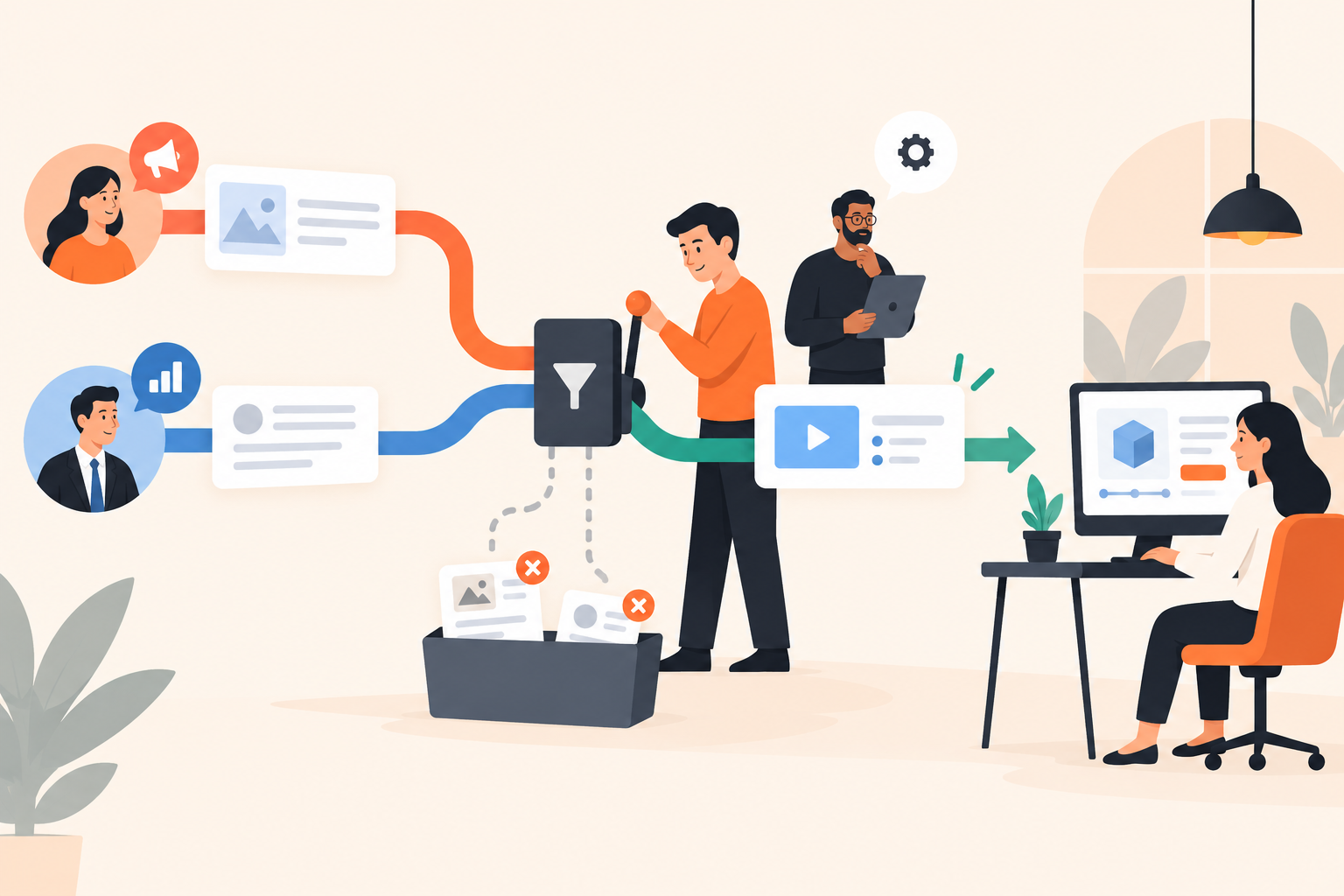
Sales follow-up automation works best when buyer behavior chooses the content, but a separate eligibility check decides whether anything should send. Give the conversation one owner, define what should stop an automated message, and verify those rules across every sending tool. Automate repeatable explanations, not judgments about what a buyer has agreed to.
I wouldn't start by rewriting those emails. Even excellent copy looks careless when it ignores the conversation happening beside it.
Why does sales follow-up automation create duplicate outreach?
Duplicate outreach happens when several workflows interpret the same action as permission to send. Clean contact records won't fix it if marketing, sales and demo campaigns each make that decision independently.
The download is real. So is the upcoming meeting. So is the unanswered technical question sitting with your solution engineer. A workflow that sees only the download can send a perfectly relevant document at a completely inappropriate moment.
Behavior-based follow-up uses an observed buyer action to choose a useful response. That action supplies context; it doesn't, by itself, establish permission, urgency or purchase readiness.
Separate two questions: What would help this buyer? and Should we send it now? Demo engagement can answer the first. Conversation ownership, consent and the current sales stage inform the second.
This distinction matters when evaluating interactive demo software, too. Capturing detailed engagement and coordinating outbound messages across your entire stack are different capabilities. Don't assume one includes the other.
What should you define before building a follow-up workflow?
Define the buyer situation, the useful response, the conversation owner and the reasons not to send. Then decide which system can enforce each rule.
“Anyone who watches a demo” is too broad. “A prospect exploring implementation responsibilities after an introductory call” gives you something concrete to work with. You know the question, the likely content and the person responsible for the relationship.
For an illustrative pilot, I'd write a workflow brief like this:
- Situation: A prospect has received the implementation demo after a call.
- Evidence: They watch that demo and download the rollout checklist.
- Useful response: Offer a short explanation of which setup tasks belong to their team.
- Owner: The AE already handling the evaluation.
- Exceptions: Don't send if the AE has answered that question, the buyer has asked to pause or another relevant conversation is underway.
- Enforcement: Name the system or person responsible for checking those exceptions.
The last line is where weak designs reveal themselves. “The CRM will handle it” isn't a rule. Identify the field, workflow or review step that actually prevents the send. If nobody can point to it, it doesn't exist yet.
How do Segments and Campaigns support behavior-based follow-up?
Segments group contacts by behavior; Campaigns send the corresponding message. Dale, the demo automation platform, supports automated Campaigns that fire when a new contact joins a Segment.
Segments can use conditions such as watching a specific demo, selecting specific topics, clicking a link, downloading an attachment or sharing a demo onward. Conditions can match all or any of the selected criteria.
For the implementation example, you could require both a demo watch and a checklist download. The associated email would address rollout responsibilities rather than deliver a generic “Thanks for your interest” message.
Emails can come from a rep's Gmail or Outlook account, or company SMTP. That keeps the sender familiar, but the email still needs to sound like something that person would reasonably send. Write for the shared context of the Segment, not an imagined understanding of every buyer's project.
The Segments and Campaigns capabilities provide the behavior-to-email connection. Don't assume they also provide reply detection, CRM-stage exclusions, cross-campaign deduplication or meeting-based stop rules. Those requirements need separate verification and an enforcement point.
If a direct automated Campaign can't respect your required exceptions, don't enable that sending path yet. Keep the signal useful and the send under human control.
Which demo behaviors deserve a follow-up?
Follow up when an action gives you a useful, relevant response, not merely because an event appeared in the activity log. Different behaviors support different conclusions.
| Observed behavior | Useful response | What it doesn't prove |
|---|---|---|
| Selects an implementation topic | Offer setup prerequisites | The rollout is approved |
| Replays a technical explanation | Offer clarification | The buyer understood or agreed |
| Downloads a configuration guide | Explain a relevant configuration choice | They want a meeting |
| Shares the demo | Make the material useful to colleagues | Every colleague should receive outreach |
| Clicks a scheduling link | Check booking status before another invitation | A meeting was booked |
A rewatch is particularly easy to overread. The buyer might be interested. They might also be confused, distracted or showing the same explanation to someone else. “Was anything unclear about the permissions setup?” leaves room for reality. “I see you're ready to move forward” does not.
Buying Intent Signals help prioritize attention. Use Lead Scoring based on intent and fit to decide which contacts deserve review first, then check the conversation before choosing the response.
Also distinguish observation from messaging. A rep may benefit from knowing that a buyer replayed a section, without mentioning that monitoring in the email. Lead with the problem you can help solve.
How should follow-up change before and after a sales call?
Before a booked call, follow-up should improve the agenda. After a call, it should support the agreed next step or resolve an open question, not restart prospecting.
How do you use a pre-meeting demo without assigning homework?
Send a focused warm-up and make clear that watching is optional. The buyer has already committed time to a conversation; don't make them earn it by completing a product tour.
Suppose an operations lead wants to discuss approval delays. Show how requests move between teams, then use the call to understand their approval structure and exceptions.
A Linear Demo with buyer-selected priorities lets viewers rate topics Important / Somewhat Important / Not Important. Important topics play first, with content tailored to the selected depth. Pages hold reusable topic content, while Walkthroughs provide screenshot-based, step-by-step interaction.
If the buyer explores exception handling, the rep can prepare that discussion. If they don't watch, keep the appointment and ask the discovery questions. No activity is not evidence that the meeting is worthless.
How do you follow up after a substantive demo?
Keep commitments in the rep's recap and use automation for supporting explanations. A promised technical answer should never disappear into a generic nurture sequence.
Imagine the buyer asks how incoming requests get assigned across regions. The rep can send a custom demo link that opens the relevant content directly, skipping the introduction and topic selection.
If the buyer later downloads the configuration guide, an educational follow-up might explain assignment exceptions. But if the SE is already investigating that exact question, wait. Two answers with slightly different assumptions create more work than silence while the right answer is prepared.
Use personalized demo links for known contacts to associate engagement with the invited viewer without another details prompt. Keep the message tied to what was discussed: “Here's the regional assignment walkthrough we covered,” not “Checking whether you've heard of us.”
How do you stop automation from competing with reps?
Assign one owner to the active conversation and choose one place to decide outbound eligibility. Every automated sending path must respect that decision, or remain manual.
The eligibility check might live in your CRM, a sales-engagement platform or a documented review process. The right choice depends on where your team can reliably see replies, meetings, opt-outs and active sequences.
Agree on precedence before launch. A direct buyer reply should move the conversation to a person. A booked meeting should prevent another invitation to book that same step. An explicit pause or opt-out needs handling across the tools involved, not just the one that received it.
Open technical questions deserve special care. If a specialist owes an answer about data access, a cheerful automated message about ease of setup can undermine trust. The issue isn't email frequency. It's whether your team appears to understand the evaluation.
Check the integration boundary as carefully as the email copy. HubSpot is a native integration; Salesforce and other CRMs can connect through Zapier or webhooks. Review the available CRM and workflow integration routes, but don't confuse transferring activity with enforcing suppression.
I prefer a manual review step over a supposedly complete workflow with an untested exception. Automation can wait. Repairing a buyer's impression of a disorganized team is harder.
How do you test sales follow-up automation before launch?
Test the situations where a message should not send, not just the happy path where it should. Inspect both the sending history and the receiving inbox.
For an illustrative test, use a contact who downloads after replying, another who qualifies for overlapping audiences and another who clicks a scheduling link without booking. Include a buyer who has asked to pause. Check what actually happens across the connected tools.
Launch checklist:
- The message solves a specific content need.
- The sender matches the conversation owner.
- The demo link opens the promised material.
- Overlapping audiences don't produce competing sends.
- Replies, bookings and pause requests have verified handling.
- Every exception has a named enforcement point.
- Someone knows how to stop the workflow immediately.
Then read the messages in the order the buyer receives them. Does an automated booking request arrive after a calendar confirmation? Does the follow-up ask a question the buyer already answered? Testing each workflow separately won't reveal those collisions.
Measure useful replies and relevant next steps alongside duplicate sends and manual corrections. Ask reps whether buyers arrive better informed, and ask SEs whether they are repeating fewer routine explanations. Opens alone can't answer either question.
Where should you start with Dale?
Start with a recurring explanation that consumes rep or SE time, then automate only the part whose conditions you can verify. Keep architecture decisions, commercial commitments and ambiguous buyer questions with people.
Check Dale pricing for the plan that includes the demo types, Segments and Campaigns your design needs. Don't select a plan or connect a sender until you know where the exception checks will live.
Open the interactive demo with a real post-call question in mind. Write the follow-up you'd send, the behavior that would make it useful and the condition that should stop it. Have the conversation owner approve all three before enabling delivery.