
Your French landing page is ready. The demo opens with an English dashboard, explains a US reimbursement policy, and ends at an English booking page. The translation project is finished; the buying experience isn't.
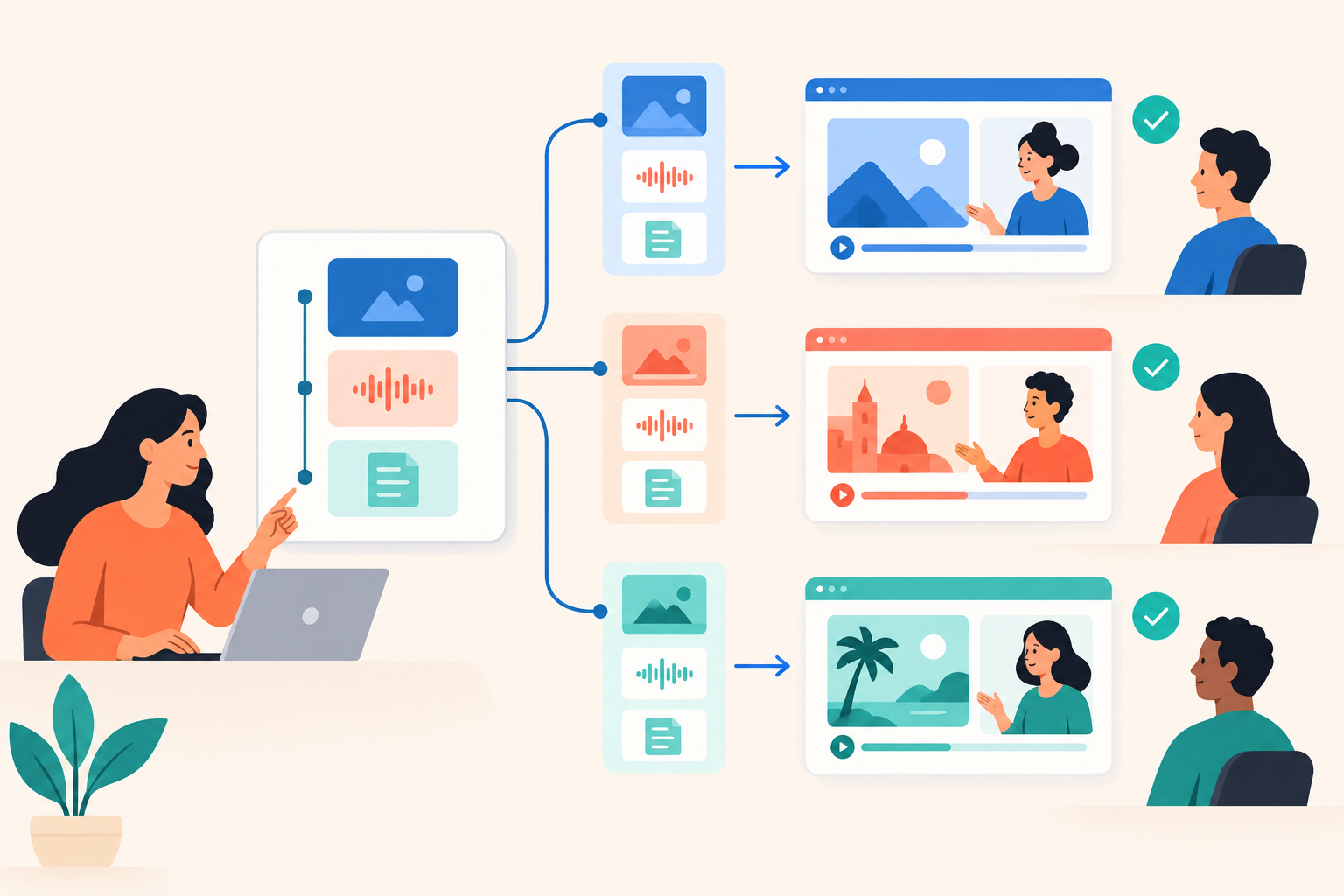
Build multilingual product demos around a shared set of buyer problems, then localize the explanations, choices, examples, and next steps for each language. Reuse approved assets within a language, but maintain separate versions wherever language or product availability changes. In Dale, the demo automation platform, that means language-specific demos using language-tagged Pages, not one recording that automatically translates itself.
I'd start with one recurring sales question in one additional language. Prove that a buyer can understand the answer and take the next step before translating the entire demo library.
What should a multilingual product demo actually localize?
A multilingual product demo should localize the whole path from choosing a problem to acting on the answer. Narration is only one part of that path.
Demo localization: adapting a product demonstration to a buyer's language and market context without changing the truth about what the product can do.
Take an illustrative expense-management product. The core story might travel well: an employee submits an expense, a manager approves it, and finance exports the transaction. But the labels, sample receipts, reimbursement rules, and accounting destination might not.
Don't change those details just to make the screen look local. Check whether they represent a workflow the buyer can actually use. A familiar currency on an unavailable payment feature is worse than an obviously foreign example.
There's another easy-to-miss layer: the choices before the demo starts. A buyer who misunderstands a topic title may skip the very explanation they need. In a personalized experience, clear language affects what gets shown, not just how pleasant it is to watch.
My test is simple: can someone choose their problem, recognize the proposed solution, and follow the next step without needing an English-speaking colleague?
How do you reuse demo content across languages?
Reuse the story structure across languages and the approved assets within each language. Don't confuse a reusable structure with a single asset that serves every market.
Pages are reusable topic-level content units. Each Page has a language, and a demo only offers Pages tagged with its language. An English demo uses English-tagged Pages; a French version needs French-tagged Pages.
That still leaves plenty of room to avoid duplication. A French explanation of expense approvals could serve both finance leaders and operations leaders if they need the same workflow. Different entry routes don't automatically justify different recordings.
What belongs in the content map?
Before anyone records, create a small inventory in the tool your team already uses for content work. For an illustrative rollout, one row might read: expense approval, French, finance and operations demos, awaiting product review.
- Buyer problem: give it a stable internal identifier that survives changes to the public-facing title.
- Source workflow: document the steps, outcome, and limitations every version must preserve.
- Localized assets: list videos, screenshots, titles, descriptions, attachments, and destination links.
- Review owners: name the person responsible for product accuracy and the person responsible for natural language.
- Dependencies: record which demos use the content and what product changes would make it outdated.
This is editorial housekeeping, not automatic translation synchronization. Keep it lightweight enough that people will update it.
The maintenance question matters more than the launch question. When the approval workflow changes, can someone find every affected version without opening every demo?
When should you translate, localize, or rebuild a demo?
Translate when the meaning stays the same, localize when the surrounding context changes, and rebuild when the actual workflow differs. Make that decision for each asset rather than giving the entire demo one treatment.
| Element | Likely treatment | Review question |
|---|---|---|
| Buyer problem | Translate and edit | Would a buyer describe it this way? |
| Sample records, dates, currency | Localize | Are the examples familiar and consistent? |
| Product workflow | Reuse or rebuild | Is this capability available in the target market? |
| Screenshot instructions | Match the actual interface | Can the viewer find the named control? |
| Documents and next steps | Localize or replace | Does the handoff keep the language promise? |
Sometimes the right answer is deletion. If an integration isn't available in a market, don't translate its segment and hope the rep explains the limitation later.
Be equally careful with compliance statements. A translated sentence about hosting or regulatory support is still a product claim. Have someone check it against what you actually offer in that market.
Language and location aren't interchangeable, either. A Spanish-speaking finance leader might manage teams across several countries. If geography changes the workflow, establish that requirement separately rather than inferring it from the language they chose.
How do you localize topic choices and demo branches?
Write topic choices in the language buyers use to describe their work, not as literal translations of your feature taxonomy. Add branches only when an audience needs a meaningfully different explanation.
A Linear Demo with buyer-prioritized topics lets viewers rate topics Important / Somewhat Important / Not Important. Important topics play first using detailed videos, Somewhat Important topics use shorter videos, and Not Important topics are skipped.
That makes topic wording part of the demo's logic. “Approval orchestration” asks buyers to understand your terminology. “Stop expense approvals getting stuck” gives them a recognizable problem to prioritize.
Ask a fluent reviewer to explain each topic back to you without seeing the source wording. If two supposedly different topics produce the same explanation, edit them. Translation accuracy won't rescue overlapping choices.
Should language be another branch?
Where possible, send visitors from a localized website page straight to the matching language-specific demo. Don't make someone navigate an English questionnaire to find the French experience.
Within that experience, a Branched Demo for different roles or use cases can route viewers to the appropriate Linear or Basic Demo. Branching uses preset choices today, not free-text answers.
Resist copying every existing branch into every language. A finance leader and an operations leader may need different introductions but the same approval explanation. More routes mean more paths to review, and some won't earn their maintenance cost.
How do you produce localized videos and Walkthroughs efficiently?
Approve the source workflow before producing localized media, and keep each explanation focused on a single buyer problem. Short, self-contained assets are easier to replace when the product changes.
Dale accepts uploaded videos and YouTube or Vimeo links; it doesn't include built-in screen recording. Front-end buttons and labels translate to the demo's language, but you still supply localized narration, written content, screenshots, and documents.
For Pages, plan the detailed and shorter explanations deliberately. One video can fill both placeholders, which can be sensible for an initial release. Just recognize the trade-off: a viewer choosing Somewhat Important won't get a shorter explanation if both versions use the same recording.
I wouldn't commission two polished recordings before testing whether the topic itself makes sense. Start with a clear explanation, review it with the intended audience, then invest in differentiated depth where it helps.
Walkthroughs use screenshots, tooltips, and highlighted areas. If the product has a localized interface, capture that interface. If it doesn't, preserve the actual control names in your instructions.
For example, explain the action in French but quote the English button label visible on screen. That's more useful than showing a translated button the buyer won't find when they use the product.
Test the published experience on a phone. Translated labels can be longer, and a desktop screenshot may be technically readable without being comfortable to use. Consider vertical video and mobile Walkthroughs where they improve the explanation.
How do you check a localized demo before publishing?
Use both a product reviewer and a fluent market reviewer, and have them complete the journey rather than just proofread the script. One checks whether the demonstration is true; the other checks whether it makes sense to a buyer.
Give them a task: “You're trying to reduce approval delays. Find the relevant explanation, describe what the product does, and take the next step.” Don't help unless they get stuck. Where they hesitate is useful evidence.
Keep the release checklist short enough to use:
- Entry: the localized website opens the intended demo.
- Choices: topics and branches describe distinct, understandable needs.
- Accuracy: media and guidance show the product buyers can actually access.
- Handoff: prompts, documents, links, and follow-up ownership support the promised language.
- Maintenance: every asset has an owner and a reference to its source workflow.
Check the less obvious paths. Open the attachment. Follow the secondary link. Deprioritize most topics. A polished opening doesn't compensate for an untranslated document halfway through.
The booking handoff deserves particular attention. If a buyer watches in French but the available sales conversation will be in English, say so before they book. Localization should clarify expectations, not conceal them.
Agree on an update rule with product before launch. A cosmetic interface change may wait for the next content review; a changed approval step or unavailable capability needs prompt attention.
How do you measure whether demo localization helps buyers?
Compare language-specific demos with similar traffic sources and buyer groups, then look for clearer understanding and useful next steps. More viewing time alone doesn't prove better localization or stronger buying intent.
Use demo analytics for topic interest and conversion tracking to inspect views, topic choices, completion, link clicks, downloads, and recorded conversions. Maintain a language mapping in your reporting process rather than assuming an automatic cross-language comparison.
A rewatch might mean interest. It might also mean the narration was hard to follow. Look at the surrounding behavior and ask sales what happened in the next conversation.
Did the prospect arrive with a specific workflow question? Did they understand a regional limitation? Or did the rep spend the opening minutes correcting an expectation the demo created? Those observations can reveal problems that completion rates miss.
When evaluating interactive demo software, test a whole localized journey, not just translated player controls. Explore the Dale interactive demo to examine the viewer experience, and check Dale pricing for the demo types and delivery options your rollout needs.
For the first release, pick a question your sales team already answers repeatedly. Assign a product reviewer and a language reviewer, build that one localized path, and ask someone unfamiliar with it to complete the journey without help.