
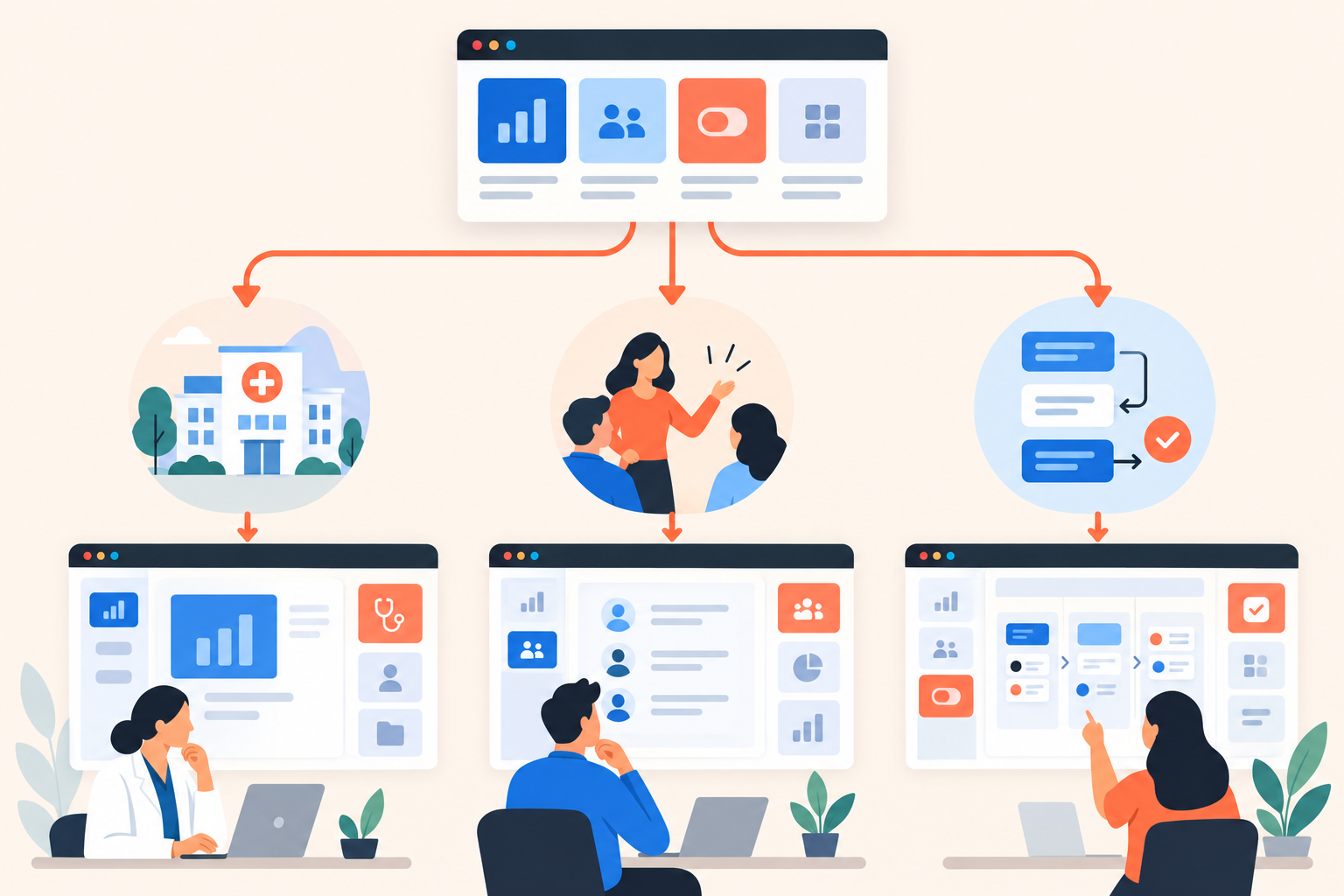
A healthcare operations lead opens your demo and selects their industry. Then their role. Then company size. Then their biggest challenge. They still haven't seen the product. Somewhere along the way, your personalized demo became a qualification form.
A branched demo should start with whichever question most changes the product story: industry, role or use case. Add another question only if its answer changes the workflow, explanation or evidence you need to show. Personalization earns its place by removing irrelevant content, not by collecting more information.
What is a branched demo, and do you need one?
A branched demo routes viewers to different demo experiences using their answers to preset questions. You need one when audiences require meaningfully different stories to understand the product, not simply because they occupy different CRM segments.
Branching chooses the story. Topic ratings choose the depth. Routing determines which experience a buyer enters; topic priorities determine what deserves their attention inside it.
Dale, the demo automation platform, uses a Branched Demo to route viewers to a matching demo, either a Linear Demo or a Basic Demo (Single Experience Demo). Questions can be chained, but branching uses preset choices today, not free-text answers.
Consider an illustrative field operations product. Healthcare and lending teams might both use assignment rules and visit tracking. Yet coordinating an uncovered visit and following up on a loan application need different examples. A generic demonstration could make a suitable product look wrong for either buyer.
The reverse matters too. If both audiences need the same workflow, explanation and next step, separate branches buy you very little. A shared demo with buyer-selected topics may be enough. I'd rather maintain one useful experience than several that differ only in the welcome screen.
Should you branch by industry, role or use case?
Choose the dimension that changes the first useful product moment. Industry suits different processes and terminology; role suits different responsibilities; use case suits a shared problem that cuts across both.
Before debating labels, ask the person who runs your live demos: “Where do you stop and change the explanation depending on who's in the room?” That answer is usually more useful than your audience taxonomy.
| Start with | When it changes the story | Possible opening question |
|---|---|---|
| Industry | The process, terminology or supporting evidence differs | Which industry do you work in? |
| Role | Participants evaluate different responsibilities or outcomes | Which responsibility best matches yours? |
| Use case | Buyers share a problem despite different titles or industries | What are you trying to improve? |
When should industry come first?
Choose industry when a generic example creates unnecessary translation work. In our illustrative field operations product, a lending buyer might need application handoffs, while a manufacturing buyer needs service escalation. Changing the industry label above the same video wouldn't solve that mismatch.
Look beyond vocabulary, though. If you replace “application” with “request” and the entire explanation still works, the difference may not justify another route.
When should role come first?
Choose role when people involved in the same process need different proof. A frontline manager may want to resolve an overdue task. An executive may want to understand whether overdue work is concentrated in a particular region.
Use responsibilities when job titles are ambiguous. “Manage daily operations” gives buyers a clearer choice than a list of titles that don't quite match their organization.
When should use case come first?
Choose use case when buyers can name the problem more easily than they can identify with your personas. “Reduce missed follow-ups” is a useful starting point for several roles and industries.
This is my default when the audience split is unclear. Buyers shouldn't have to understand your segmentation model to see a relevant workflow. But avoid disguising a feature menu as a problem list: “Improve territory coverage” is a buyer concern; “Advanced mapping module” is your navigation label.
How many routing questions should you ask?
Start with one routing question as a design rule, not a platform limit. Add another only when the first answer still leaves you choosing between substantially different demonstrations.
For example, selecting “Lending” might leave two plausible needs: application follow-up and field collections. If those require different workflows, another question earns its place. Company size probably doesn't, unless it changes what the buyer needs to see.
I use a blunt editing test: write the content consequence beside each answer. “Shows the collections workflow” passes. “Helps our SDR qualify the account” belongs in a different discussion.
Keep a short checklist beside the routing map:
- Consequence: Each answer changes the content shown.
- Clarity: A buyer can answer without knowing your product.
- Separation: The choices don't all sound applicable.
- Fallback: Uncertain buyers have a useful destination.
A preset choice such as “Explore common workflows” can serve that last purpose, provided you configure its destination. Don't route “Not sure” buyers into whichever demo happened to be finished first.
And don't try to solve every possible overlap. A finance executive can also care about daily operations. Give them a sensible starting point, not an identity test.
How do you map demo branches before recording?
Map each route to an opening workflow, supporting content and next step before producing videos. This exposes duplicate experiences while deleting them is still easy.
Start with discovery notes and live-demo recordings you already have. Look for moments when the presenter changes examples, skips a section or says, “For your team, this would work differently.” Those are candidates for branching, not automatic instructions to build another demo.
- Write the entry question. Use language a buyer would recognize without an explanation.
- Describe each destination's job. “Show how an unassigned visit gets covered” is more useful than “Healthcare version B.”
- Specify the opening proof. Name the screen, action and result the viewer should see first.
- Mark shared content. Separate genuinely reusable explanations from audience-specific examples.
- Choose the next action. Invite a discussion about the workflow shown, rather than an undefined sales conversation.
- Assign an owner. Decide who checks the destination when the product changes.
For an illustrative healthcare route, the opening could show assigning an uncovered visit. A manufacturing route could open with escalating a service task. Both might reuse a permissions explanation, but only if its language and screens make sense in both settings.
Then read the map sideways. If several destinations have identical opening proof, topics and next actions, merge them. Recording separate introductions won't make them meaningfully different.
How do you personalize depth without multiplying branches?
Use branching for different stories and topic ratings for different priorities within a story. You don't need another route every time someone wants more detail on reporting.
In a Linear Demo with buyer-rated topics, viewers choose Important / Somewhat Important / Not Important. Important topics play first. Each Page has video placeholders for a longer Important explanation and a shorter Somewhat Important explanation; Not Important topics aren't shown. You can use the same video for both depths when appropriate.
A healthcare buyer could prioritize assignment rules and ask for less detail on reporting. Another buyer on the same route could do the reverse. Their priorities differ, but neither needs a new industry branch.
Use a Basic Demo destination when there's one focused story to tell. Use a Linear Demo when people within the audience still have different questions. Adding topic selection to a narrow demonstration can become another unnecessary decision.
That distinction is worth testing when evaluating interactive demo software. A fixed product tour can explain a workflow well. Demo automation becomes more useful when it also removes explanations the viewer doesn't need.
Which content can you safely reuse across branches?
Reuse content when the behavior, language and supporting materials remain accurate for every audience receiving it. Shared functionality alone isn't enough.
In Dale, Pages are reusable across demos, giving shared topics one source of truth. Walkthroughs offer screenshot-based, step-by-step interaction and can accompany a topic. You still need to assemble the destination demos and configure their routes deliberately.
A permissions explanation may be reusable. A video that repeatedly talks about loan officers and applications probably isn't suitable for healthcare, even if every button works identically. The viewer shouldn't have to mentally rewrite your example.
Keep three content categories in your working inventory: shared explanations, audience-specific proof and priority-dependent depth. The last category belongs in longer and shorter topic videos, not an expanding tree of branches.
Attachments need the same scrutiny. Page-level links and documents appear while their topic plays; demo-level materials stay visible throughout. A lending implementation guide shouldn't follow viewers into a healthcare experience because someone copied the entire destination.
For multilingual demos, include language tags in your review. A demo set to a particular language only offers Pages tagged with that language. Reuse needs to respect that boundary too.
How do you know whether the routing works?
Test whether viewers reach relevant proof and can take a useful next step. Completing the routing questions tells you they answered questions, not that they understood the product.
Before launch, ask someone outside the build team to choose a route without coaching. Listen for hesitation. “Which of these am I?” often reveals overlapping choices; “Why am I seeing this?” reveals a destination that doesn't fulfill its promise.
Then test the mechanics: change topic ratings, check the priority order and confirm that omitted topics stay omitted. Review Walkthroughs, attachments and links on desktop and mobile. Check where the details prompt appears relative to the first useful product moment.
After launch, review branch views, completion rates and path flow alongside topic ratings in demo analytics. Compare routes cautiously: different audiences may arrive with different levels of familiarity and different intentions.
A buyer who finds the relevant workflow and leaves to discuss it internally may be better served than one who finishes a generic presentation. Completion is diagnostic, not the verdict.
How should sales use a buyer's branch choice?
Use the branch as context for discovery, not proof of purchase readiness. Topic priorities and subsequent engagement make that context more specific, but they still don't establish budget or an active project.
“Selected manufacturing” is a thin handoff. “Selected manufacturing, rated service escalation Important and replayed that explanation” gives the rep a useful opening. Buying Intent Signals from demo behavior help connect declared interests with what someone actually explored.
Keep identity boundaries clear: public viewers are identified only if they fill the prompt; unique invite links associate viewing with the invited contact. Anonymous engagement isn't automatically a named lead.
I would turn the observation into a question: “You prioritized service escalation. Where does that process break down today?” That's more useful than reciting viewing activity or acting as though discovery is finished.
Before building, try the Dale interactive demo and check Dale pricing for the demo types your design requires. Then take one existing demo and mark the moments where the story genuinely changes by audience. Draft your first routing question from those moments, and leave everything else out for now.