
Your account executive wants the website demo shortened. Your solution engineer objects: the section marked for deletion explains what happens when an approver is unavailable. Cut it, and the next sales call will start with exactly that question.
The right product demo length is the shortest experience that answers the buyer's current question with credible product evidence. For self-serve demos, that means optional depth rather than a single runtime: let buyers skip irrelevant topics, get a brief explanation of secondary interests, and inspect their priorities properly.
I wouldn't settle this argument with a stopwatch. I'd ask whether the visitor is checking that approval routing exists or evaluating whether it can handle their process. Those are different jobs.
What is the ideal product demo length?
There is no universal ideal runtime. Set a time budget around the question you're answering, then cut anything that doesn't help prove the answer.
Consider two visitors evaluating the same workflow. A founder wants to know whether requests can reach the right approver without someone chasing them. An operations lead needs to inspect delegation, escalation, and decision history before recommending the product. A fixed recording either makes the founder wait or leaves the operations lead guessing.
As an illustrative production target, you could plan a 30-second overview and a two-minute detailed explanation. Neither is a benchmark. If the overview needs another screen to make the result believable, add it. If the detailed version spends its opening minute introducing the company, start later.
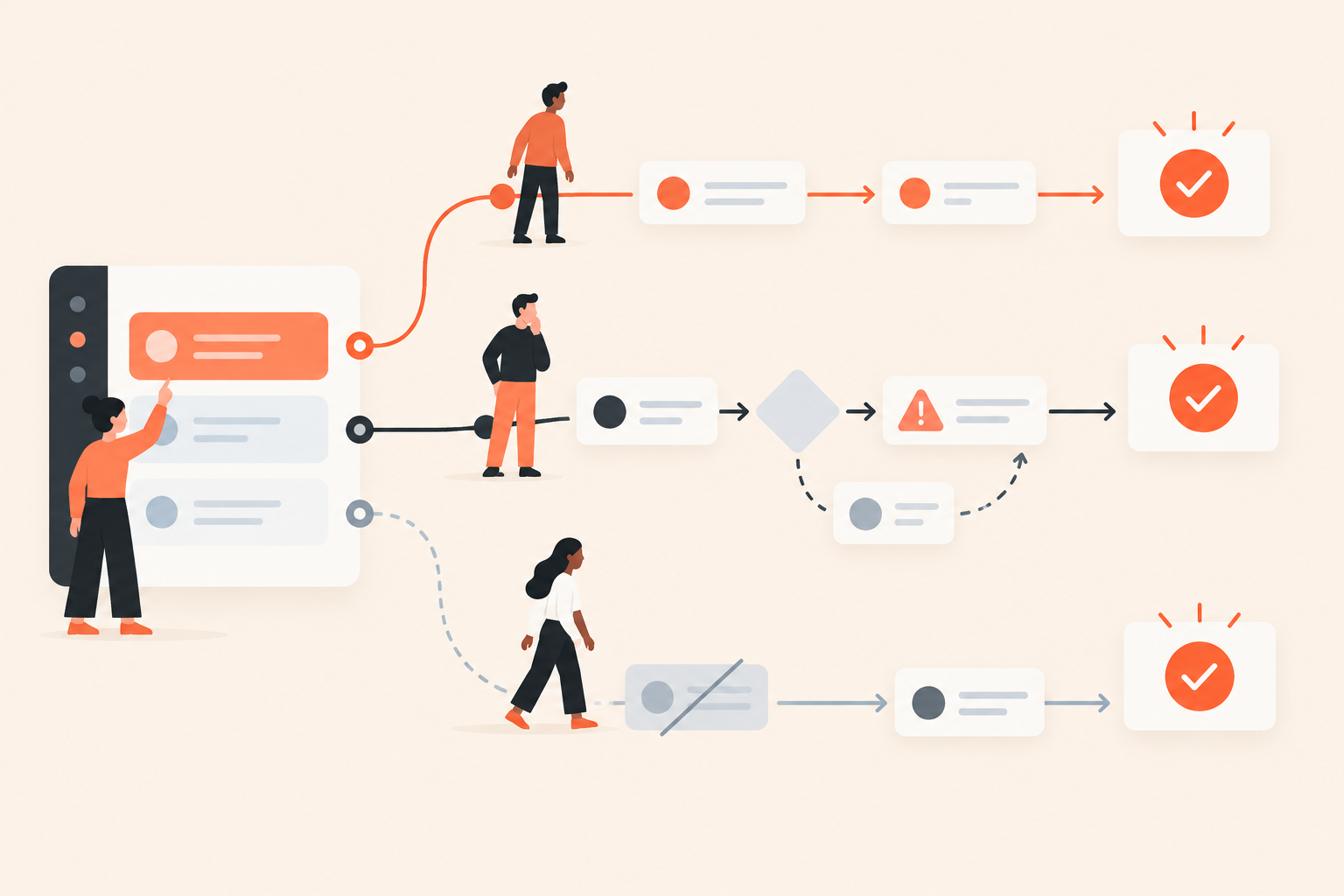
Buyer-selected demo depth means the viewer chooses which topics appear and how much explanation they receive. It changes the content of the experience, not just its playback speed.
This distinction matters when evaluating interactive demo software. A shorter recording still asks every visitor to sit through the same material. A chapter menu offers navigation, but the buyer still has to work out which sections contain the answer. Depth selection makes that choice explicit.
How can buyers choose how much of a demo to watch?
Give buyers topic choices that change inclusion, order, and detail. Asking about their priorities is only useful if the experience responds.
In Dale, the demo automation platform, a Linear Demo organized around buyer priorities lets viewers rate topics Important / Somewhat Important / Not Important. Important topics play first using the longer video; Somewhat Important topics use the shorter video; Not Important topics are omitted.
The content lives in reusable Pages, each covering one topic or pain point. Each Page has two video placeholders, although the same video can serve both. Distinct recordings are worth producing when the extra detail helps someone make a different evaluation decision.
| Buyer rating | What to show | Approval-routing example |
|---|---|---|
| Important | The outcome plus meaningful evaluation detail | Show the routing rule, the request, an unavailable approver, and the recorded decision |
| Somewhat Important | A complete, shorter explanation | Show a request reaching the correct approver and receiving a decision |
| Not Important | Nothing for this topic | Skip approval routing entirely |
The middle option deserves more attention than it usually gets. “Somewhat Important” can mean “I need to know you do this, but someone else will inspect the configuration.” That's a reasonable way to evaluate software, not a lack of interest.
Write topic titles in the buyer's language. “How do requests reach the right approver?” gives someone a decision they can make. “Advanced workflow orchestration” asks them to interpret your product vocabulary before they've seen the product.
What belongs in a short demo versus a detailed demo?
The short version should prove the outcome. The detailed version should show how the workflow behaves when the buyer's real constraints enter the picture.
How do you make the short version useful?
Start close to the problem. For approval routing, open on a request waiting for review, show it reaching the assigned approver, and finish on the recorded decision.
Keep enough context to explain what changed. You can remove a slow journey through navigation menus without removing the fact that a routing rule selected the approver. The viewer doesn't need every click, but they do need the cause and effect.
Don't turn this version into a trailer. “Book a call to see how it works” is not an answer to someone who came to see how it works. A short demo should leave a buyer better informed even if they never speak to sales.
How do you add depth without adding filler?
Add decisions and exceptions, not a tour of every available setting. Show which rule assigns the approver, what happens during an absence, and where someone can check the decision history.
Those details belong because they resolve likely evaluation questions. A detour into notification colors probably doesn't, unless notification design is central to the buyer's task.
Both versions must stand alone. Avoid “as you saw earlier,” unexplained sample records, or references to a previous topic. Buyers may skip content, and their priorities can change its order.
My editing test is simple: what uncertainty does this screen remove? If the answer is “none, but the feature is impressive,” save it for a more relevant topic.
How do you plan demo length before recording?
Outline the evidence for each topic before writing narration or recording footage. It's much cheaper to remove a duplicated explanation from an outline than from several finished videos.
- Choose one evaluation task. For example, help an operations buyer decide whether approval routing merits a technical discussion.
- Write the buyer's question. Keep it specific enough that someone can tell when you've answered it.
- Identify the minimum proof. Name the starting screen, meaningful action, and visible result.
- List the deeper uncertainties. Add the rules, exceptions, permissions, or records a serious evaluator needs to inspect.
- Outline both versions. They can share footage, but each needs a complete explanation.
- Read the narration against the screens. Remove sentences that repeat what the interface already makes obvious.
Recording the long version and cutting out random sections often produces a confusing short version. The remaining clicks look quick, but the connective explanation is gone. Plan the shorter story deliberately.
Keep production scope sensible, too. If a topic has no meaningful difference between brief reassurance and detailed evaluation, don't manufacture one just to fill both placeholders. Reuse the video and spend the editing time on a topic where depth matters.
Dale accepts uploaded videos and supported embeds; it doesn't have a built-in screen recorder. Include capture, editing, and review in your production plan rather than assuming demo automation handles those jobs.
When should you add a product tour or a separate branch?
Add a product tour when interaction helps explain the workflow. Add a branch when different buyers need different stories, not merely different amounts of detail.
Walkthroughs are screenshot-based, step-by-step experiences with tooltips and highlighted areas. In a Linear Demo, an attached walkthrough follows its topic's video. That gives the viewer another way to understand the interface, but it also asks for more effort.
Use interactive product tours to answer a practical question, such as where a manager finds requests awaiting approval. Don't narrate every click in a video and then ask the viewer to repeat the same sequence unless that repetition has a purpose.
A Branched Demo for different audiences solves a different problem. It uses preset choices, such as role, industry, or use case, to route viewers to a matching Linear Demo or Basic Demo.
If finance needs a spending-controls story and operations needs a service-request story, a branch may help. If both need approval routing but at different depths, topic ratings may be enough. More paths mean more content to review; don't create them to make the demo look sophisticated.
Finally, test on a phone. A concise recording is still hard work if the viewer can't read the interface. The guidance on mobile demos and vertical video addresses a presentation problem that cutting runtime won't fix.
How do you tell whether a demo is too long?
Look for effort that doesn't help the buyer reach an answer. Completion rate can flag something to investigate, but it can't diagnose the problem by itself.
A buyer might leave after finding the answer, follow a useful link before the end, or abandon a confusing explanation. Those sessions can look similar if all you track is whether the final screen appeared.
Review topic-level demo analytics alongside the content:
- A section gets replayed. Inspect whether it contains valuable detail or an explanation that is difficult to follow. Repetition can signal either.
- A topic is regularly rated Not Important. Check its relevance and wording before shortening the recording. You may have an audience problem, not an editing problem.
- Viewers take a useful next step before finishing. They may have enough information already. Don't make completion the price of success.
- Sales keeps answering the same question after the demo. Find out whether the explanation is missing, unclear, or difficult to locate.
Buying Intent Signals provide behavioral evidence, not a transcript of someone's thoughts. A long session isn't automatically strong buying intent, and a short one isn't automatically failure.
When testing an edit, keep the audience and traffic source as consistent as you can. Don't shorten the demo, rewrite the landing page, and launch a new campaign together, then credit the runtime for whatever changes.
What should you check before publishing a shorter demo?
Check that every version answers its question independently and that skipping topics doesn't break the experience. Then verify that the next step makes sense for what the buyer has actually seen.
- The topic title describes a recognizable buyer question.
- The short version shows evidence, not just benefits.
- The detailed version adds useful evaluation detail.
- No recording depends on a previous topic.
- Any walkthrough earns the extra effort it requires.
- The final link offers a relevant next action.
Try the Dale interactive demo to experience the choices before designing your own. Check Dale pricing for the demo types and capabilities available in each plan.
For your first edit, choose one topic sales repeatedly explains. Outline its minimum proof and its deeper evaluation questions, then ask a colleague outside the product team to watch each version independently. Ask them what the product does and what they still can't tell. Use those unanswered questions to decide what to change next.