
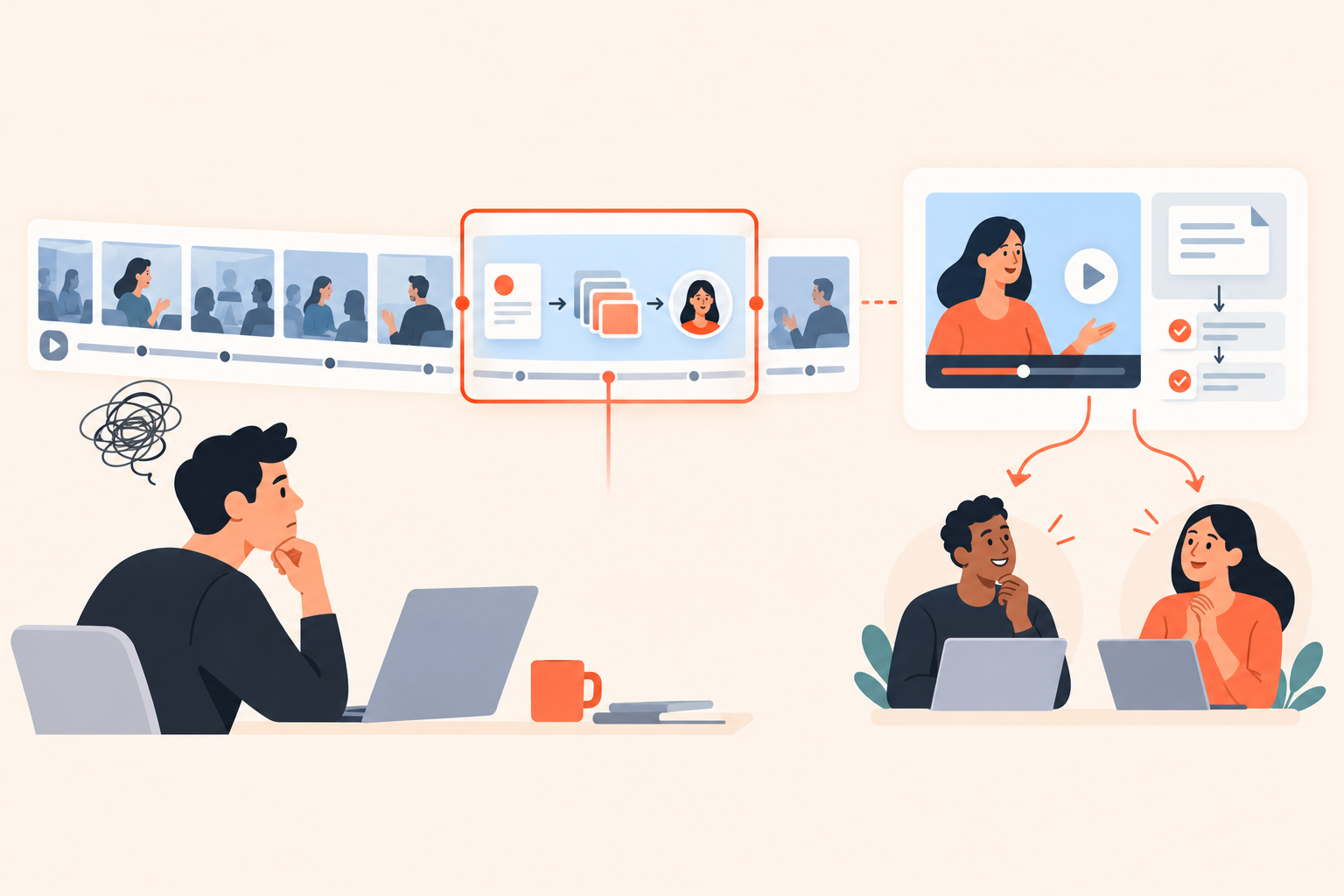
Your champion asks for the sales demo recording because their operations lead couldn't attend. You send it. The operations lead opens on introductions, skips ahead into a discussion about reporting, then closes the tab before reaching the request-routing workflow they needed to evaluate.
Send a sales demo recording when buyers need to revisit the conversation itself. When they need to assess a workflow or brief an absent stakeholder, lead with a focused demo leave-behind and keep the recording available as context. The useful asset is the one that answers the next person's question without requiring your champion to narrate it.
When is a sales demo recording the right thing to send?
A recording is the right asset when the wording, reasoning, or context of the conversation matters. It is less useful when someone simply needs to see how a particular product workflow behaves.
Suppose an evaluator wants to check what your solution engineer said about an implementation constraint. Send the recording with a timestamp and flag any clarification made afterward. Replacing that discussion with a polished product clip could erase the qualification that made the answer accurate.
But an absent stakeholder has a different problem. They don't know which questions were settled before the call or why the presenter skipped a screen. A meeting recording assumes shared context that this person doesn't have.
I wouldn't stop sending recordings. I'd stop treating “recording sent” as a completed follow-up task. Ask your champion: “Who will watch this, and what do they need to decide?” That answer should determine what goes at the top of the email.
Demo leave-behind: A focused, shareable product explanation built around a buyer's next evaluation task. It can include video, an interactive walkthrough, supporting documents, and a specific question to resolve.
What should you send instead of the full recording?
Send the smallest complete explanation that helps the recipient make progress. Sometimes that's a timestamp; sometimes it's a workflow demonstration with evidence; sometimes the honest answer is another technical conversation.
| What the recipient needs | Lead with | Don't leave out |
|---|---|---|
| Check what was agreed live | Recording and timestamp | Later corrections or qualifications |
| Evaluate one workflow | Focused demo leave-behind | Starting condition, result, and limitations |
| Explore several requirements | Buyer-directed demo | Meaningful topic choices |
| Validate account-specific architecture | Targeted technical discussion | Unresolved questions and a technical owner |
Consider an illustrative operations-platform sale. The absent operations lead needs to understand what happens when a request has no eligible owner. Showing the assignment settings isn't enough. Show the request entering the queue, the fallback behavior, and how a supervisor finds and resolves it.
That's a complete explanation. It doesn't need the company introduction or a tour of every routing option.
A generic product tour can make exactly the same mistake as a recording: lots of product, no clear answer. Shorter isn't automatically more useful. A clip that omits the exception the buyer asked about just creates another email.
How do you turn call notes into a useful demo leave-behind?
Build around the unanswered buyer question, not the order of your feature menu. Give the recipient enough context to understand the demonstration without having attended the call.
I use a simple editing test: could your champion forward this with no explanation beyond “this answers your question”? If not, the asset is still leaning too heavily on the original meeting.
- Write the question as the title. “What happens to requests without an owner?” is more useful than “Assignment engine overview.” It also makes the asset easier to find later.
- Establish the starting condition. Explain what has already been configured and which role is using the product. Otherwise, viewers may mistake an administrator's permissions for everyone's permissions.
- Show the action and its consequence. Follow the workflow through to the result. Don't end on a saved settings screen when the question concerns daily operations.
- State the boundary. Distinguish standard behavior from configuration-dependent behavior and anything you haven't validated for the account.
- Attach the relevant evidence. Include the applicable configuration guide, not a folder full of documents the buyer must sort.
- Ask a question they can answer. “Does this fallback cover your regional queues?” is better than “Any thoughts?”
Keep outstanding requirements visible. If the buyer asked whether regional administrators can override a global rule and you haven't confirmed it, say so. A useful leave-behind can contain an unresolved question. A misleadingly complete one is harder to recover from.
How can reps build leave-behinds without adding SE work?
Give reps approved, reusable answers and a clear boundary for when to involve a solution engineer. They should select relevant content, not invent a technical explanation between calls.
Dale, the demo automation platform, fits here through reusable Pages for individual topics and Walkthroughs for screenshot-based, step-by-step exploration. Page-level links and attachments appear with the relevant topic, keeping the supporting document beside the explanation rather than in a separate resource dump.
For a known question, a rep can generate a custom link to chosen demo content, skipping the introduction and topic selection. That matters after a discovery call: making a buyer identify the same requirement again feels like your team wasn't listening. The personalized demo link options support this more direct handoff.
When several requirements remain open, a Linear Demo with buyer-selected priorities offers a different approach. Viewers rate topics Important / Somewhat Important / Not Important. Important topics play first; Pages can provide a detailed video for Important and a shorter version for Somewhat Important, while Not Important topics are skipped.
Don't confuse those situations. Direct links suit a question you already understand. Topic selection suits a buyer who still needs to explore.
The operating discipline matters more than the interactive demo software. Product marketing can own clarity, an SE can approve technical boundaries, and sales can choose the relevant answer. Assign an owner to review content after product changes. Reusing an outdated explanation is not a productivity gain.
How should you package and share the demo link?
Put the buyer's question, the relevant link, and the requested response in the delivery note. Offer the full recording underneath when sharing is permitted, rather than making it the default starting point.
Here's an illustrative note for the operations example:
Here's the unassigned-request workflow for your operations lead. It shows the fallback queue and the supervisor's next action. The configuration guide is included beside the explanation.
Could they confirm whether requests should stay within their region when no owner is available? That determines what we need to validate next.
I've also included the call recording below for the original discussion.
Notice what the note doesn't do. It doesn't claim the workflow solves every requirement, ask for another meeting by default, or make the champion rewrite your explanation before forwarding it.
Before sending, run this short checklist:
- Recipient: Do you know who needs the answer and what they're evaluating?
- Entry point: Does the link lead to the relevant content?
- Accuracy: Are assumptions and unresolved requirements visible?
- Permission: Is the recording approved for this audience?
- Ownership: Who will respond when the recipient raises an exception?
Check recording consent, company policy, and customer confidentiality obligations separately. A request to forward a call doesn't erase sensitive commercial terms or customer information discussed during it.
Dale doesn't provide built-in screen recording. Upload existing videos or use supported embeds, including YouTube and Vimeo. Don't assume a focused demo tool also handles your meeting-capture and recording-permission process.
What does demo engagement actually tell sales?
Engagement tells you where to investigate, not what the buyer has decided. Use it to make the next response more relevant, and leave room for your interpretation to be wrong.
A replay of the fallback workflow could mean strong interest. It could also mean the explanation was confusing, or that the viewer was showing a colleague. A document download establishes an action, not agreement with its contents.
That distinction is why Buying Intent Signals from demo activity are useful as conversation context. Topic choices, rewatches, document downloads, and link clicks help a rep decide which question to ask next. They don't justify announcing that a prospect is ready to buy.
Be precise about identification, too. Public-link viewers are identified only if they complete the prompt. Unique invite links associate viewing activity with the invited contact without asking them to fill in a form. Don't report anonymous viewing as if it were a named stakeholder's approval.
Automate conservatively. Segments can group contacts by relevant behavior, and Campaigns can send a message when a new contact joins a segment. For example, a topic selection plus a configuration-guide download could trigger a note offering help with exceptions. Start with a narrow Segments and Campaigns follow-up workflow, with someone assigned to handle replies.
The message should remain useful even if the signal was misread. “If regional escalation is part of your review, here's the standard behavior” passes that test. “I see you're ready for implementation” does not. Check existing sales sequences before adding another automated email.
How do you know whether the leave-behind helped?
Look for resolved questions and less repeated explanation, not just completed views. Measure the buyer's progress alongside the work your team still had to do.
For an illustrative pilot, choose one recurring workflow question. Track whether recipients accepted the standard answer, identified a specific exception, or needed the same explanation again. Note the rep and SE time spent rebuilding or presenting it, including maintenance time for the reusable asset.
Use demo engagement analytics to understand viewing behavior, then connect that information to call notes and buyer replies. If viewers repeatedly watch the same section and still ask the original question, revise the explanation before treating those rewatches as positive buying intent.
Don't count every avoided call as a win. A technical conversation that exposes a serious mismatch can save everyone time. The goal is to stop repeating standard explanations so live discussions can address the parts that genuinely need judgment.
Before choosing a setup, inspect the Dale interactive demo and check Dale pricing and plan capabilities for the sharing and automation features you need. Then take one recent “please send the recording” request, identify the absent recipient's actual question, and ask a colleague unfamiliar with the deal to test whether your leave-behind answers it.